


Foundation Framework: Grid System, License, Breakpoints, Customization, Dependencies, Components, Bootstrap Comparison, Installation, Maintenance Status, File Size

A foundation framework is a responsive front-end toolkit of reusable HTML, CSS, and JavaScript code for building websites. Key aspects include license, grid system, customization, breakpoints, components, dependencies, installation, bootstrap comparison, file size, and maintenance status. You work with it by adding its stylesheets and scripts to a project, then applying its classes and markup patterns to your pages. Within website design, it gives you a consistent starting structure, so layouts adapt across phones, tablets, and desktop screens without you rewriting basic code. A web design company in Miami FL might use this kind of toolkit to build pages from tested parts instead of drawing every element from scratch. The article goes on to explain the license terms, the grid system, breakpoints, ready-made components, and the ways you can customize styles and settings.
Key Takeaways
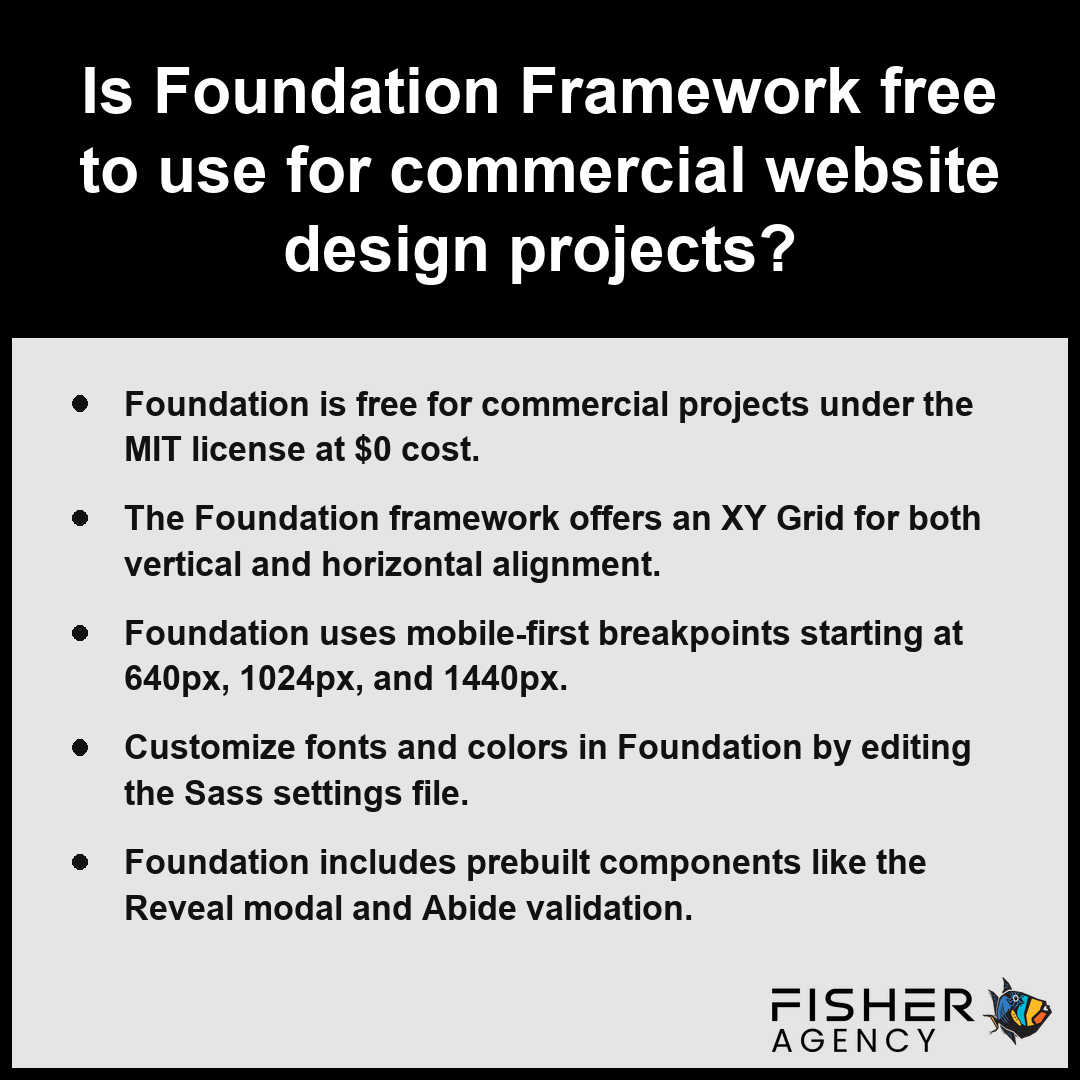
- Foundation is free for commercial projects under the MIT license at $0 cost.
- The Foundation framework offers an XY Grid for both vertical and horizontal alignment.
- Foundation uses mobile-first breakpoints starting at 640px, 1024px, and 1440px.
- Customize fonts and colors in Foundation by editing the Sass settings file.
- Foundation includes prebuilt components like the Reveal modal and Abide validation.
Is Foundation Framework Free to Use for Commercial Website Design Projects?
Yes, the foundation framework is entirely free to use for commercial website design projects because it is released under the MIT license. Per Open Source Initiative, the MIT License grants permission to use, copy, modify, and distribute the software for commercial purposes at no cost. This licensing allows you to integrate the code into private, proprietary, or public-facing commercial applications without incurring any licensing costs. When you build a project using Foundation for Sites, you do not need to pay for usage rights, royalties, or subscription fees regardless of the size or profit-generating nature of your website.
| Commercial Usage Factor | Foundation Framework Status | Financial Impact |
|---|---|---|
| Initial Licensing Fee | MIT Open Source | $0 |
| Per-Project Royalties | None Required | $0 |
| Subscription/Recurring Costs | Not Applicable | $0 |
| Proprietary Modification Rights | Fully Permitted | $0 |
| Distribution/Resale Rights | No Attribution Required | $0 |
Commercial Licensing Costs Comparison
Because the foundation framework is open source, you have the freedom to modify the source code to suit your specific project requirements. You can compile only the components you need to minimize your file size, which helps maintain fast load times for your users. The following list outlines key legal and practical freedoms granted by the MIT license for your commercial work:
- Zero licensing cost for commercial or personal sites: $0
- Ability to modify the source code for custom site requirements
- Permission to use, copy, and distribute the software without attribution restrictions
- No requirement to pay royalties or per-project fees
- Full access to all current and legacy Foundation for Sites components
Review the specific terms of the MIT license in the repository to ensure your intended distribution method aligns with the copyright notice requirements.
The following legal and operational considerations apply when utilizing the Foundation framework for your projects:- Retain the original copyright notice and permission notice in all copies or substantial portions of the software.
- Ensure that all modified files contain notices stating that the files were changed from their original state.
- Use the framework at your own risk, as the MIT license is provided without warranty of any kind, express or implied.
- Comply with trademark guidelines if you choose to use the official ZURB or Foundation logos in your marketing materials.
What Is XY Grid in Foundation Framework and How Does It Differ From the 12-Column Float and Flexbox Grid?
The XY Grid in Foundation for Sites is a modular, multi-directional layout system that allows you to build both horizontal and vertical grids using CSS Flexbox, whereas the legacy 12-column grid relies on floats and requires more complex markup to achieve similar alignment and spacing tasks.
| Feature Comparison | Legacy Float Grid | Standard Flexbox Grid | XY Grid |
|---|---|---|---|
| Layout Architecture | Float-based/Clearfix | One-dimensional Flexbox | Advanced Modular Flexbox |
| Vertical Alignment | Manual height management | Requires wrapper classes | Native/Automatic handling |
| Gutter Management | Limited/Rigid | Standard | Unified margin/padding controls |
| Structural Complexity | High (requires hacks) | Moderate | Low (streamlined classes) |
| Application Suitability | Content-only pages | Standard responsive sites | Full-screen app/frame layouts |
How Does XY Grid Differ From the Float Grid?
The XY Grid in Foundation framework is a highly modular layout system that replaces traditional float-based positioning with more advanced CSS capabilities. Per W3C, the CSS Flexible Box Layout Module offers a standardized one-dimensional model for distributing space and aligning items within a container, which acts as the core technical basis for the XY Grid. Unlike the 12-column float grid, which relies on clearing floats and specific structural hacks to keep columns aligned, the XY Grid utilizes a modern foundation to manage both horizontal and vertical alignment natively. While the float grid often forces you to manage container heights manually, the XY Grid handles dynamic sizing and vertical centering automatically through its internal logic.
XY Grid Compared With the Flexbox Grid
The XY Grid improves upon the older flexbox grid by providing a unified set of classes for both margin and padding-based gutters. While the standard flexbox grid in Foundation for Sites is effective, the XY Grid offers more granular control over complex responsive layouts. You can implement the following structural features:
- Frame-based layouts for full-screen application design.
- Native vertical alignment without requiring extra wrapper classes.
- Integrated support for both grid and block-style containers.
- Horizontal and vertical gutter management using standardized spacing classes.
Why Does the Gutter Behave Differently in XY Grid?
The XY Grid separates the concept of a row from the cell, allowing you to apply gutters as either margins or padding. In the older 12-column grid, gutters are typically hard-coded as padding, whereas the XY Grid allows you to toggle between margin-based gutters, which prevent nested row overflow, or padding-based gutters for traditional content spacing. The default grid gutter at medium screens and above is 30px, maintaining the 75rem maximum row width.
Where the 12-Column Grid Still Applies
You might stick with the standard 12-column grid if you are maintaining legacy projects that already rely on specific float-based styles. If your design avoids complex vertical alignment and uses simple, static content blocks, the 12-column system remains a lightweight, battle-tested choice.
Evaluate your layout nesting requirements to determine if margin-based gutters will simplify your specific site architecture.
The following technical advantages highlight why developers choose the XY Grid over older layout methods:- Supports negative margins to allow for seamless nesting without breaking gutter calculations.
- Provides independent control over horizontal and vertical gutters through specific class modifiers.
- Eliminates the need for “clearfix” hacks or manual row clearing to manage parent container height.
- Enables true vertical centering of columns within a container using simple alignment classes.
- Reduces the total amount of boilerplate HTML markup required to structure complex, multi-directional layouts.
Default Breakpoints in Foundation Framework and How the Mobile-First Approach Works
Default breakpoints in Foundation Framework function as the foundation for its mobile-first design philosophy, ensuring that your content prioritizes small-screen users before progressively enhancing the layout for larger displays. By adopting a mobile-first approach, the foundation framework applies base styles to the smallest screens by default, while media queries layer additional design rules as the browser width expands. Per Mozilla Developer Network, responsive web design standards utilize media queries to adjust layout structures based on specific viewport width thresholds rather than device-specific hardware identifiers. This method ensures that your site remains lightweight for mobile devices by only loading necessary code, which is then extended through specific screen width thresholds.
| Breakpoint Tier | Minimum Viewport Width | Primary Layout Optimization Goal |
|---|---|---|
| Small | 0px | Base mobile-first styling and load optimization |
| Medium | 640px | Tablet transition and component reflow |
| Large | 1024px | Standard desktop content distribution |
| Xlarge | 1200px | High-resolution wide-screen layout scaling |
| Xxlarge | 1440px | Maximum width density and immersive grid expansion |
Foundation Framework Breakpoint Widths (px)
The system relies on predefined pixel values to trigger these style changes across your layouts. You should manage these thresholds within your Sass settings file to align the design with your specific content needs.
- Small: 0px and up (base styles)
- Medium: 640px and up
- Large: 1024px and up
- Xlarge: 1200px and up
- Xxlarge: 1440px and up
Verify that your content remains legible and functional at the 640px threshold to ensure a smooth transition from the narrowest mobile view to your tablet-optimized layouts.
Prebuilt Components in Foundation Framework for Navigation, Modals and Forms
Prebuilt components in the foundation framework provide ready-to-use functional elements that streamline development by replacing the need to write custom HTML, CSS, and jQuery code for common site interactions. These modules are specifically engineered to handle complex states, such as focus management in dialogs or input validation, while maintaining the responsive nature of your site design.
| Component | Primary Interaction Type | Key Technical Responsibility |
|---|---|---|
| Top Bar | Navigation | Breakpoint-specific layout collapsing |
| Off-canvas menu | Navigation | Hidden state management |
| Reveal modal | Dialog | Focus trapping and accessibility compliance |
| Abide | Validation | Pre-submission logic and pattern matching |
| Dropdown menus | Navigation | Hover/click visibility toggling |
| Orbit carousel | Media | Content cycling and visual indicators |
| Accordion and Tabs | Content organization | Conditional visibility and space optimization |
- Top Bar: A navigation container that supports responsive layouts, allowing you to stack or collapse links depending on the breakpoint.
- Off-canvas menu: A sidebar interface that stays hidden off the edge of the screen until triggered, ideal for mobile navigation.
- Reveal modal: A flexible dialog system that handles overlay windows for alerts or content, controllable via data attributes. Per the W3C Web Accessibility Initiative, modal dialog implementations must manage focus trapping and provide clear mechanisms for keyboard-based dismissal to ensure they meet standard interaction requirements.
- Abide: A built-in validation library for forms that checks input patterns, required fields, and equality against other inputs before submission.
- Dropdown menus: Interactive lists that appear on hover or click, designed for deep navigation hierarchies.
- Orbit carousel: A content slider that cycles through images or text elements with optional navigation arrows and bullet indicators.
- Accordion and Tabs: Grouping components that toggle content visibility to organize large amounts of information within a restricted visual space.
Review the JavaScript initialization requirements for your chosen components to ensure your project correctly includes the necessary jQuery dependencies before deploying these interactive elements.
These additional components provide specialized functionality for complex UI requirements:- Abide: Implements client-side form validation by checking inputs against predefined pattern sets before allowing submission.
- Dropdown menus: Manages the dynamic show/hide state of nested links triggered by user interaction.
- Orbit carousel: Coordinates the timing and animation of rotating visual media and navigational indicators.
- Accordion and Tabs: Reduces page clutter by toggling the visibility of grouped content segments within constrained layouts.
How to Customize Colors and Fonts in Foundation Framework Using Sass Settings
You customize colors and fonts in the foundation framework by modifying the Sass settings file to override default variables before you compile your project stylesheets. Because Foundation for Sites relies on a modular Sass architecture, you can define your brand identity by updating specific tokens rather than rewriting the core library CSS.
| Sass Configuration Variable | Functional Purpose | Customization Impact | Implementation Best Practice |
|---|---|---|---|
| $primary-color | Brand Identity | Overrides default Foundation blue | Use high-contrast hex or RGB values |
| $body-font-family | Visual Hierarchy | Sets the core project typeface | Define a robust stack of fallback fonts |
| $base-font-size | Accessibility Scale | Alters the root 16px measurement | Maintain industry-standard legibility ratios |
Standard Web Typography Metrics
- Locate the
_settings.scssfile within your project directory, which acts as the central hub for all Foundation customization. - Search for the
$primary-colorvariable and replace the default blue near #1779ba with your specific brand hex code or RGB value. - Adjust the
$body-font-familyvariable to set your preferred typeface, ensuring you provide a stack of fallback fonts for browser compatibility. - Update the
$base-font-sizevariable if your design requires a starting scale other than the standard 100%, which translates to 16px. Per the International Organization for Standardization, keep in mind that typography legibility is generally improved when font sizing and line spacing follow recommended ratios for scalable and accessible web interfaces. - Recompile your Sass files using your preferred build tool, such as npm or a task runner, to generate the final CSS containing your unique visual styles.
When choosing your new palette and typography, ensure your updated variables maintain sufficient contrast ratios to keep the foundation framework accessible to all users across every screen size.
To apply your custom styling effectively, follow these configuration steps:- Verify that your Sass compiler is correctly linked to the _settings.scss file to ensure variables are registered before the Foundation core.
- Use the @import directive to include your custom settings file prior to importing the Foundation library files.
- Run a fresh build process to recompile the Sass into CSS, ensuring that global overrides are correctly propagated across all component files.
- Inspect your rendered output in browser developer tools to confirm that the new variable values have successfully replaced the library defaults in the computed styles.
Frequently Asked Questions
Does Foundation Framework need jQuery, and can I include only the plugins I use?
Yes, Foundation for Sites version 6 depends on jQuery, and you can include only the plugins you use. Each plugin initializes with a specific data attribute or function call. By selecting individual plugins during your build process, you keep your project lightweight while utilizing components like Reveal modal or Abide.
How do I install Foundation Framework with a CDN, npm or the ZURB Template starter project?
You install Foundation for Sites by using a CDN link, an npm or yarn package, or a ZURB Template starter project utilizing Gulp or webpack. You may also download a custom build directly. These methods provide flexible integration options to incorporate Foundation for Sites into your unique development workflow.
How big is the Foundation Framework CSS file and how can I make it smaller?
The full minified CSS file is roughly 100–150 KB uncompressed. You can make it smaller by using custom builds or by modifying the Sass settings file to compile only the specific components your project requires. Gzip compression also reduces the final file size delivered to users significantly.
Is Foundation Framework better than Bootstrap for a custom website design?
Foundation for Sites offers distinct advantages for custom design through its mobile-first approach, the versatile XY Grid, and the ability to compile only needed components via a Sass settings file. Because it operates under the MIT license, you face $0 in licensing costs for any personal or commercial site.
Is Foundation Framework still maintained, and which version is the latest stable release?
Foundation for Sites is actively maintained, with the 6.x series, specifically the 6.8 and 6.9 releases, serving as the latest stable branches. Version 6 remains the current major line for this foundation framework, ensuring developers have access to responsive components and grid systems for modern mobile-friendly website development.