

Web Development: Approaches, Cost, Languages, Timeline, Responsiveness, Team Roles, Maintenance, Speed, Accessibility

Web development is the process of building, coding, and maintaining the websites and web applications that people use through browsers. Key aspects include cost, approaches, timeline, languages, team roles, responsiveness, speed, maintenance, and accessibility. The work splits into front-end tasks, which control what you see on screen, and back-end tasks, which handle data, servers, and logic. Within website design, it turns visual layouts into working pages that load, respond, and store information. A project like small business web design jacksonville fl usually combines a clear layout, a content system, and hosting that keeps the site online. Costs, timelines, programming languages, build approaches, and team roles each shape how a site comes together, and the sections below explain them in turn.
Key Takeaways
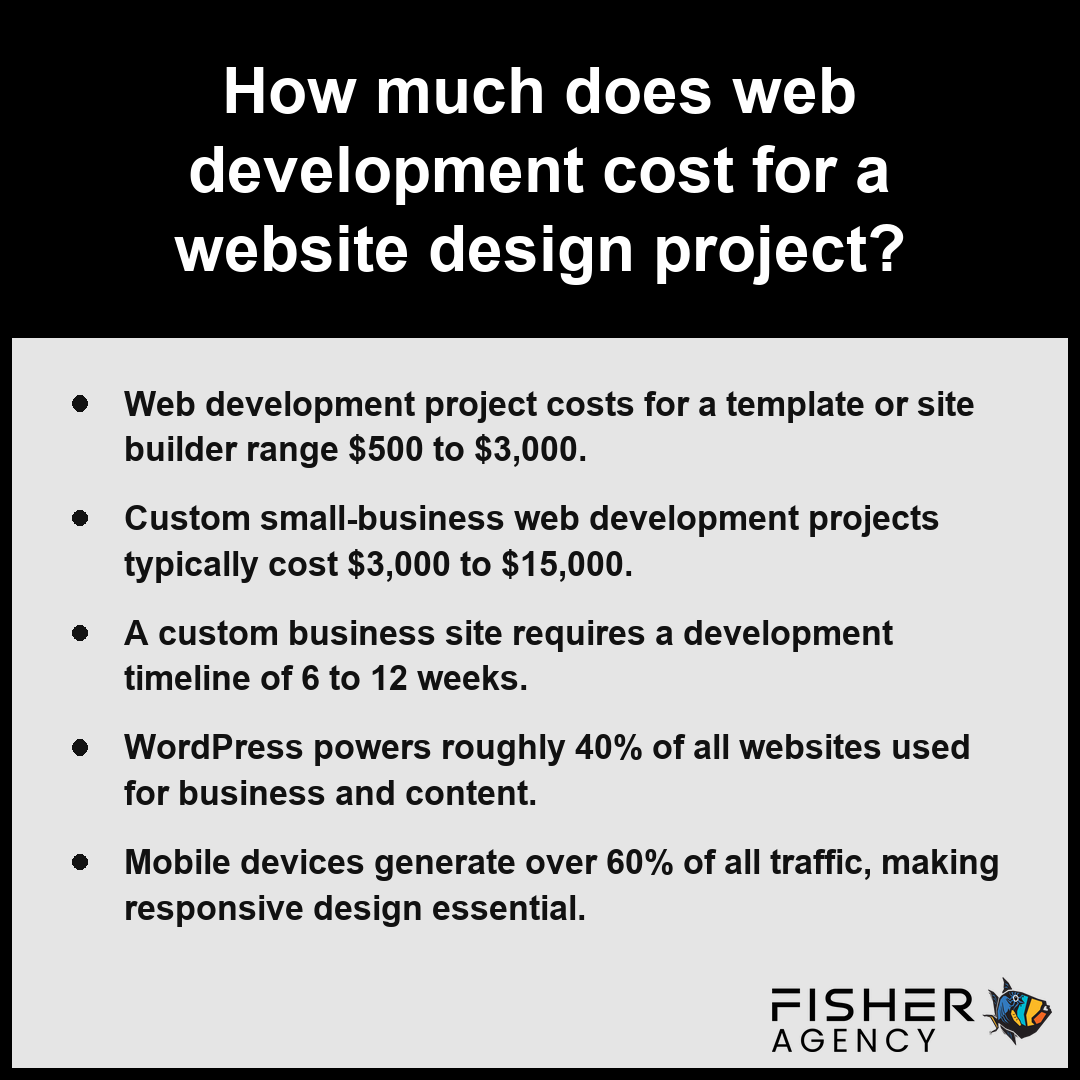
- Web development project costs for a template or site builder range $500 to $3,000.
- Custom small-business web development projects typically cost $3,000 to $15,000.
- A custom business site requires a development timeline of 6 to 12 weeks.
- WordPress powers roughly 40% of all websites used for business and content.
- Mobile devices generate over 60% of all traffic, making responsive design essential.
What Does Web Development Cost for a Website Design Project?
The cost of web development for a website design project typically ranges from $500 to $3,000 for a site builder project or $3,000 to $15,000 for a custom small-business site, supplemented by an ongoing maintenance cost of $50 to $500 per month. Per the Small Business Administration, business owners should plan for a mix of upfront development costs and recurring maintenance expenses that vary depending on feature complexity and the need for custom programming.
| Project Classification | Estimated Investment Range | Development Methodology | Primary Use Case |
|---|---|---|---|
| Site Builder / Template | $500 – $3,000 | Pre-existing frameworks | Startups & Informational pages |
| Custom Small-Business | $3,000 – $15,000 | Hand-coded / Custom platforms | E-commerce & Specialized features |
| Ongoing Maintenance | $50 – $500 (Monthly) | Recurring support | Site performance & Updates |
Web Development Cost Estimates (USD)
Template and Site Builder Projects
The cost for a website design project using pre-made templates or a site builder typically ranges from $500 to $3,000. These options rely on pre-existing frameworks that limit the amount of bespoke web development required, making them the most budget-friendly path for startups or simple informational pages. While these tools allow for rapid deployment, you trade off the ability to create unique, specialized functionality for lower initial overhead.
Custom Small-Business Projects
The costs of a custom small-business project for website design range from $3,000 to $15,000, reflecting the significant amount of manual web development needed to align the site with your specific branding and operational requirements. Unlike template projects, these sites are hand-coded or built on robust platforms to ensure scalability and performance. You should anticipate that complex e-commerce features or integrated web applications will push the total investment toward the higher end of the spectrum or beyond.
What Drives the Price Up or Down?
Multiple factors influence your final invoice beyond basic site architecture. Technical complexity, the necessity for custom integrations, and the level of required performance optimization all play a role in developer billing. Freelance professionals typically charge $50 to $150 per hour, while agencies range from $100 to $250 per hour.
- Content Management System (CMS) complexity and customization needs
- Number of unique page templates and interactive components
- Integration with third-party APIs or legacy databases
- Scope of performance optimization to meet Core Web Vitals standards
Ongoing Maintenance Costs
Expect to budget $50 to $500 per month for ongoing maintenance to cover server hosting, security updates, and content patches. These recurring expenses ensure your site remains functional and secure over time.
Review your projected site traffic and functional requirements to determine if a lower-cost builder or a high-investment custom build provides the necessary return on your specific technical investment.
Beyond the initial development budget, businesses should account for these additional technical requirements:- Domain Registration: Annual fees typically ranging from $10 to $50 for a custom web address.
- SSL Certificates: Mandatory security encryption, often provided free by hosts but sometimes costing up to $200 annually for premium validation.
- Third-Party Integrations: Subscription costs for external tools such as CRM software, email marketing platforms, or advanced e-commerce payment gateways.
- Content Strategy: Expenses related to professional copywriting, stock photography licensing, or bespoke video production.
How Long Does Web Development Take From Planning to Launch?
The time required for web development from the initial planning phase to a final launch typically spans between 2 to 12 months, depending on the complexity of your requirements and the technical approach you select. Per W3C, professional website development cycles typically range from 2 to 6 months depending on the complexity of functional requirements and content integration. Simple projects involving template-based setups often move quickly, while a custom business site generally demands a timeline of 6 to 12 weeks to complete the necessary cycles of design, coding, testing, and refinement. Large-scale web applications with complex database requirements or unique functionality integrations can require 4 to 12 months of sustained effort to ensure stability and performance.
| Project Complexity Scale | Estimated Timeline | Core Focus Areas | Key Deliverable Milestones |
|---|---|---|---|
| Template-Based Sites | 2 – 6 Weeks | UI Selection & Content Population | Functional Launch |
| Custom Business Sites | 6 – 12 Weeks | UX Design & Frontend Implementation | Refined User Interface |
| Complex Web Applications | 4 – 12 Months | Architecture & Database Integration | Stable Enterprise Performance |
Typical Development Timeline by Phase (Weeks)
Several factors will dictate where your specific project falls within these timeframes:
- Requirements discovery and visual layout finalization: 1 to 3 weeks.
- Front-end development and responsive design implementation: 2 to 6 weeks.
- Back-end development and API integrations: 3 to 8 weeks.
- Quality assurance testing, bug fixing, and Core Web Vitals optimization: 2 to 4 weeks.
- Deployment, content migration, and final browser compatibility checks: 1 to 2 weeks.
Prioritize establishing a clear list of required features and user workflows early in the planning phase to avoid mid-project revisions that significantly extend your launch timeline.
Several external variables influence your project’s progression and overall delivery schedule:- Third-party API availability and documentation quality.
- Frequency and turnaround speed of client feedback rounds.
- Complexity of required data migration from legacy systems.
- Compliance and security audit requirements for specific industry regulations.
- Integration dependencies involving external marketing or CRM tools.
WordPress, a Site Builder, React, or Hand-Coded: Which Web Development Approach Fits Your Website Design?
Choosing between a site builder, a content management system (CMS), or custom web development via frameworks like React or manual hand-coding depends on your need for scalability, control, and budget. Each approach dictates how you manage your content, how you integrate external tools, and how your final project performs against Core Web Vitals.
Web Traffic & Platform Usage (%)
| Approach | Flexibility | Technical Skill Required | Best For |
|---|---|---|---|
| Site Builder | Low | Minimal | Small, static informational pages |
| WordPress (CMS) | High | Moderate | Blogs and business marketing sites |
| React/Frameworks | Very High | Advanced | Complex, interactive web applications |
| Hand-Coded | Maximum | Very High | High-performance, specialized needs |
A site builder provides a quick, rigid path for simple needs, while WordPress offers a balance of modularity and ease of use. According to W3Techs, WordPress powers over 40 percent of all websites on the internet thanks to its vast plugin ecosystem. For bespoke functionality or unique user experiences, hand-coding or utilizing frameworks like React allows for precise control over page weight and performance. Because mobile devices generate over 60% of US web traffic, you must ensure your chosen architecture inherently supports responsive design to maintain your ranking and user experience standards.
Audit your specific functional requirements, such as custom data processing or database integration, before committing to a platform that might restrict future growth.
Evaluate these key factors to determine the ideal development approach for your project:- Anticipated traffic volume and server-side scalability requirements.
- Frequency and volume of ongoing content updates by non-technical team members.
- Specific security, compliance, or data sovereignty regulations for your industry.
- Required integration complexity with third-party APIs or legacy databases.
- Total cost of ownership, including long-term maintenance, hosting, and developer labor.
Which Programming Languages Power Web Development, and What Does Each One Do?
The programming languages that power web development divide into specific roles for front-end development and back-end development to ensure your website design functions reliably. While front-end development focuses on the user interface and browser interaction, back-end development manages the server-side logic and data persistence necessary for a functional application.
| Technology | Primary Domain | Key Strategic Advantage | Market Impact |
|---|---|---|---|
| HTML | Front-End | Semantic Structural Foundation | Universal Web Compatibility |
| CSS | Front-End | Responsive Styling & Layout | Supports 60% Mobile Traffic |
| JavaScript | Full-Stack | Dynamic Interactivity & Runtime | ECMAScript Standardized Core |
| Python | Back-End | Data Processing & Logic | High Versatility & Readability |
| PHP | Back-End | Content Management Logic | Powers 40% of All Websites |
| Ruby, Java, C# | Back-End | Scalable Server Architecture | Enterprise-Level Performance |
Web Technology Market Share Estimates
- HTML: Provides the fundamental structure and semantic organization of your content.
- CSS: Controls the visual layout, styling, and implementation of responsive design to support mobile traffic, which accounts for over 60% of US web usage.
- JavaScript: Enables interactivity on the browser side and, via Node.js, functions as a powerful language for server-side back-end development. Per the Internet Engineering Task Force, JavaScript is standardized via the ECMAScript specification as the core scripting language for building complex, dynamic functionality and user interactivity within web browsers.
- Python: A versatile, readable language frequently utilized for complex back-end development, data processing, and server-side logic.
- PHP: The primary language powering WordPress, which accounts for roughly 40% of all websites, and many other content management system (CMS) platforms.
- Ruby, Java, and C#: Robust languages often selected for enterprise-level web development, large-scale applications, and high-performance server architecture.
Review your project requirements to see if your intended features, such as database integration or real-time updates, necessitate specific server-side languages beyond the standard front-end requirements.
Beyond the core technologies, developers follow these essential practices to integrate front-end and back-end systems:- API Integration: Establishing RESTful or GraphQL endpoints to facilitate secure data exchange between the client interface and server databases.
- Version Control: Utilizing systems like Git to manage collaborative codebases and track historical deployment changes.
- Database Management: Implementing SQL or NoSQL architectures to organize, retrieve, and store user-generated information efficiently.
- Security Protocols: Applying encryption, authentication tokens, and input validation to protect applications against common vulnerabilities.
- Deployment Pipelines: Automating the testing and release process to ensure consistent updates across production environments.
Who Is on a Web Development Team, and Do You Need a Full-Stack Developer?
A web development team consists of specialized professionals who collaborate to build functional digital products, and you may or may not require a full-stack developer depending on the scope of your project requirements. According to the Association for Computing Machinery, the complexity and scalability requirements of a website are the primary factors in determining whether a project necessitates a specialized team of individual contributors or a single full-stack developer. While a single full-stack developer possesses the expertise to handle both front-end development and back-end development, larger initiatives often benefit from the focused efficiency of individual specialists. A typical professional team composition includes the following roles:
| Role | Primary Technical Responsibility | Key Performance Indicator (KPI) Alignment |
|---|---|---|
| Designer | UI/UX and Visual Identity | Brand Consistency and Layout Fidelity |
| Front-end Developer | Responsive HTML/CSS/JS Implementation | Mobile Traffic Optimization (60% coverage) |
| Back-end Developer | Server-side Logic and Data Architecture | Application Security and System Stability |
| QA Tester | Validation and Accessibility Compliance | LCP Under 2.5s and 4.5:1 Contrast Ratio |
Web Performance and Accessibility Benchmarks
- Designer: Establishes the visual identity and user interface, ensuring the website design aligns with branding goals.
- Front-end Developer: Implements the visual structure using HTML, CSS, and JavaScript to ensure responsive design that adapts to mobile devices, which currently generate over 60% of US web traffic.
- Back-end Developer: Manages server-side architecture, databases, and application logic to handle complex user interactions and data security.
- QA Tester: Validates that the site meets performance benchmarks, such as keeping the Largest Contentful Paint under 2.5 seconds, and confirms adherence to WCAG level AA standards, including a 4.5:1 text contrast ratio.
Evaluate your technical requirements against your project timeline and budget to decide if you need a versatile generalist to manage the entire process or a dedicated team to execute distinct components in parallel.
Effective project management and team integration involve the following operational best practices:- Conducting bi-weekly sprint reviews to align development progress with stakeholder expectations.
- Implementing continuous integration and deployment (CI/CD) pipelines to automate testing and production releases.
- Maintaining comprehensive documentation for API endpoints and component libraries to facilitate cross-functional handoffs.
- Utilizing version control systems to manage code merging and conflict resolution among distributed team members.
Frequently Asked Questions
How does web development make a website design responsive on phones, tablets and desktops?
Web development makes a website design responsive by using CSS media queries and flexible grids to ensure one codebase adapts to different screens. This approach is essential because mobile devices generate over 60% of US web traffic, allowing your site to provide a consistent, functional experience across phones, tablets, and desktops.
How can web development make a website load faster and pass Core Web Vitals?
Web development helps a website pass Core Web Vitals by optimizing performance to reach a Largest Contentful Paint under 2.5 seconds. You achieve this by minimizing page weight, as the median web page is 2 to 2.5 MB, and using compressed image formats like WebP or AVIF to reduce load times.
What does web development need to do to make a website design accessible and avoid ADA lawsuits?
Web development makes a website design accessible by following WCAG 2.1/2.2 level AA standards, including a mandatory 4.5:1 text contrast ratio. Implementing these guidelines is necessary for inclusive user access and to protect your business from potential lawsuits brought under the Americans with Disabilities Act for non-compliant, inaccessible sites.
What ongoing costs come after web development, such as hosting, domain, security updates and maintenance?
Ongoing costs for a site include $50 to $500 per month for maintenance, $5 to $50 per month for hosting, and $10 to $20 per year for domain names. You must also account for free SSL certificates and regular software updates to keep your site secure against common vulnerabilities.
How does a web developer turn a design mockup into a working website, and what steps come between handoff and launch?
A web developer turns a design mockup into a working site by using front-end development languages like HTML, CSS, and JavaScript to build the interface. The process involves structuring content, styling layouts, and integrating back-end development for databases or forms before the final QA testing phase completes your web development project.